Competitive Overview Template
Need a quick way to compare competitors without building another messy spreadsheet?
This free competitive overview template helps you organize the parts that usually matter in a first-pass market review: positioning, audience, pricing, deal breakers, go-to-market, and user reality.
Use it when you need a clear view of your top competitors before a team meeting, strategy discussion, or marketing plan. The template works in Excel and Google Sheets, and you can build a useful first version in about 15 minutes.
No email required.
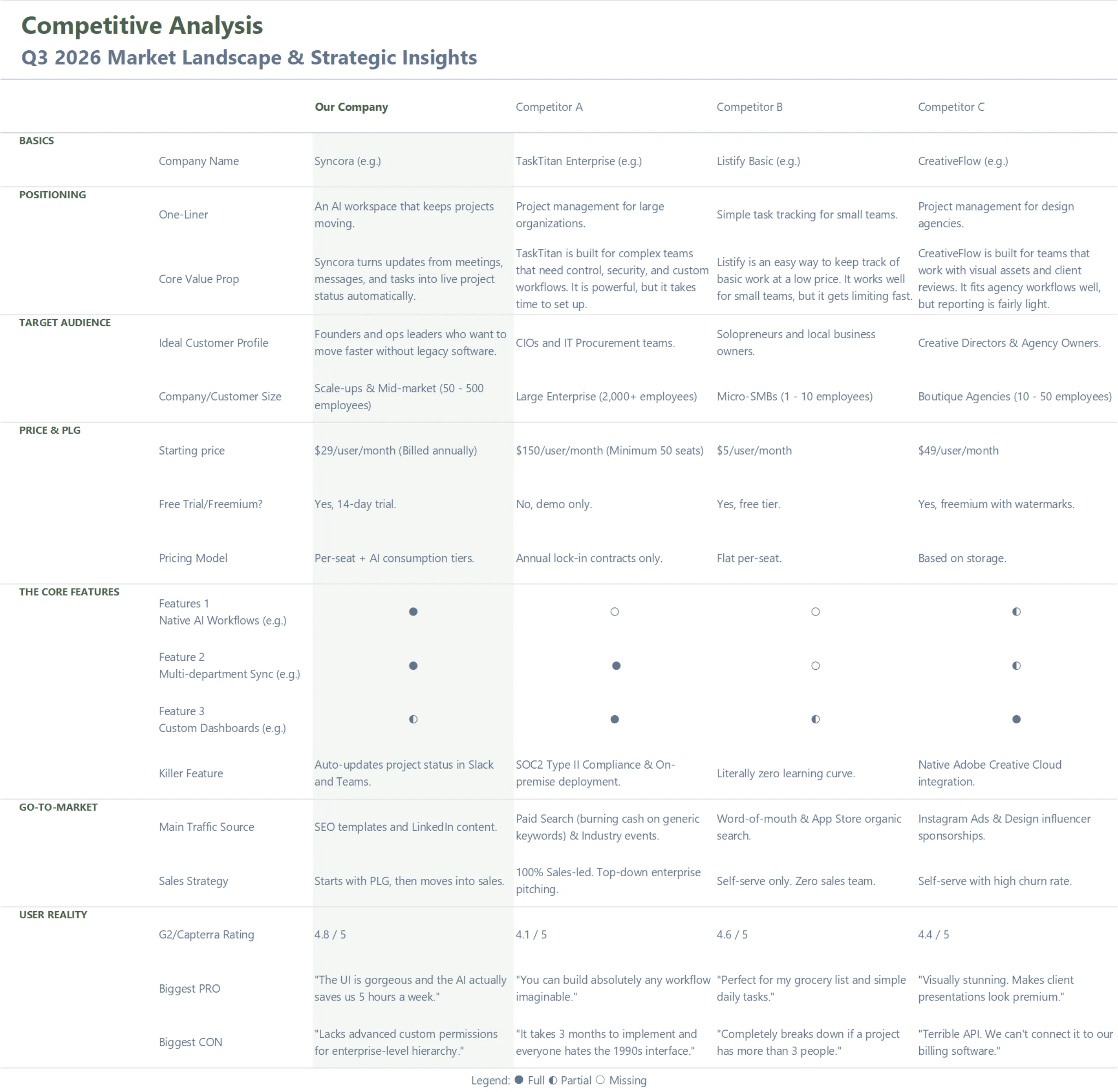
What this competitive overview template helps you compare
A useful competitive overview should show more than who has which feature. It should help you understand who each competitor serves, how they package their offer, how they reach customers, and what customers actually say after using them.
This template uses six sections:
1. Positioning
- How each competitor describes itself, and what promise it makes to customers.
2. Audience
- Who each competitor is really built for, such as enterprise buyers, small teams, price-sensitive users, or niche operators.
3. Pricing and packaging
- How competitors charge, where they hide friction, and whether they use free trials, freemium plans, minimum seats, or annual contracts.

4. Deal breakers
- The few features, services, or constraints that can make or break a buying decision in your market.
- (In a SaaS market, this might be integrations or reporting. In e-commerce, it might be shipping speed, return policy, or product quality.)
5. Go-to-market
- Where competitors seem to get attention, such as SEO, paid ads, social, partnerships, marketplaces, or sales teams.
6. User reality
- What customers actually praise or complain about in public reviews, support forums, and social channels.
How to Run a Competitive overview in 15 minutes
You do not need a full research project to get started. The goal is to build a first-pass overview that shows who the competitors are, how they differ, and where your opportunity might be.
1. Start with the example tab.
Open the “Framework (e.g.)” tab first. It shows how to write short, useful notes instead of filling the sheet with vague labels like “good product” or “bad support”. Look at how the example compares positioning, pricing, GTM, and review quotes.
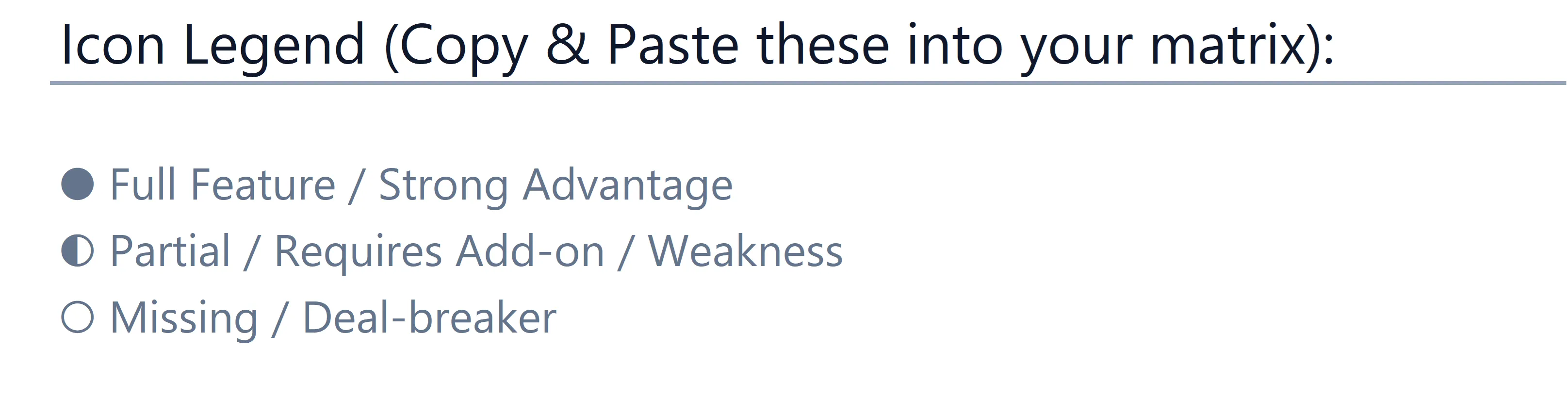
2. Choose your three competitors.
Use the blank “Framework” tab for your own market. Pick three competitors that represent different threats: one established player, one low-price alternative, and one niche product with a loyal audience.
3. Fill the matrix with quick evidence.
Use public sources first: websites, pricing pages, app stores, review sites, social channels, and search results. You are not trying to prove everything perfectly in 15 minutes. You are trying to capture enough evidence to see the shape of the market.
4. Find the gap.
When the matrix is filled, look for repeated complaints, weak offers, pricing friction, missing features, or channels your competitors are ignoring. That is where your positioning, messaging, or next campaign can start.
Download the competitive overview template
Use the template to compare your top competitors across positioning, audience, pricing, deal breakers, go-to-market, and user reality.